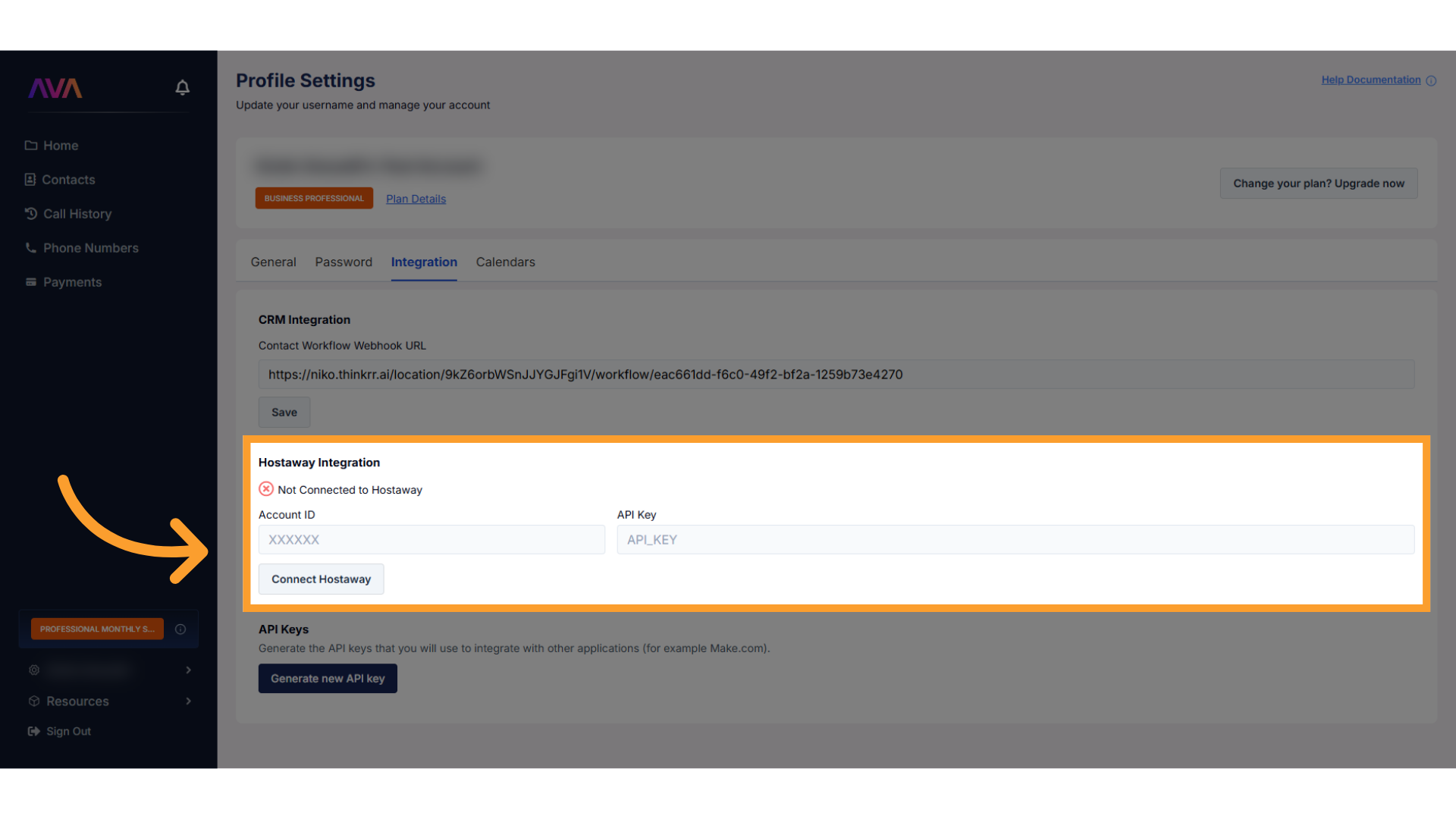
Steps on Hostaway
- Go to Hostaway Dashboard
- Click on Marketplace within the Dashboard
- Search for Thinkrr and click on the Connect button
- A small box will appear > Click on "Create"
- The Account ID and the API Key will be presented in a new window
- Copy your Account ID and API Key and keep them somewhere safe for later
Steps on Thinkrr
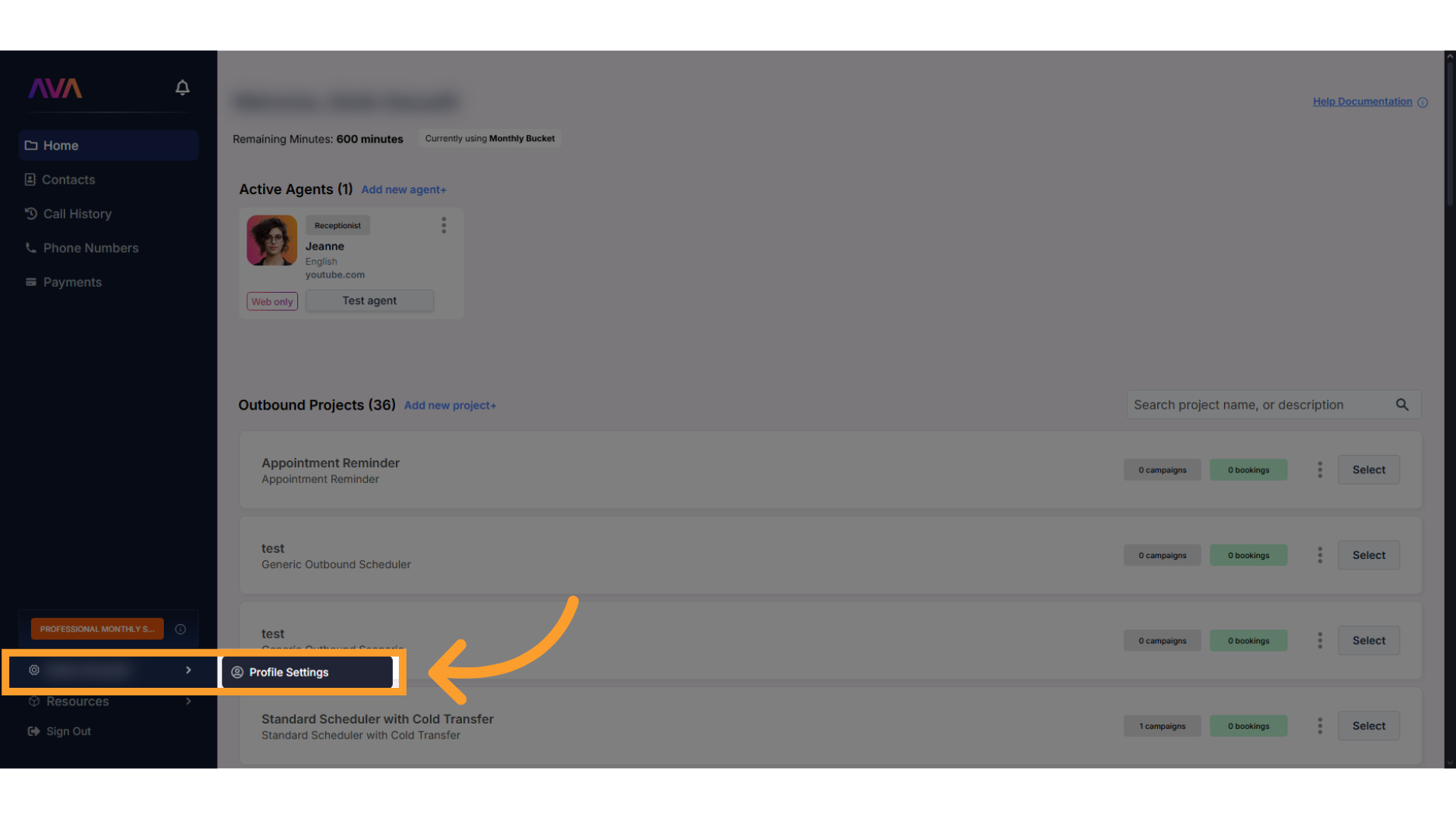
Open Profile Settings in Thinkrr
From your Thinkrr dashboard, go to Profile Settings
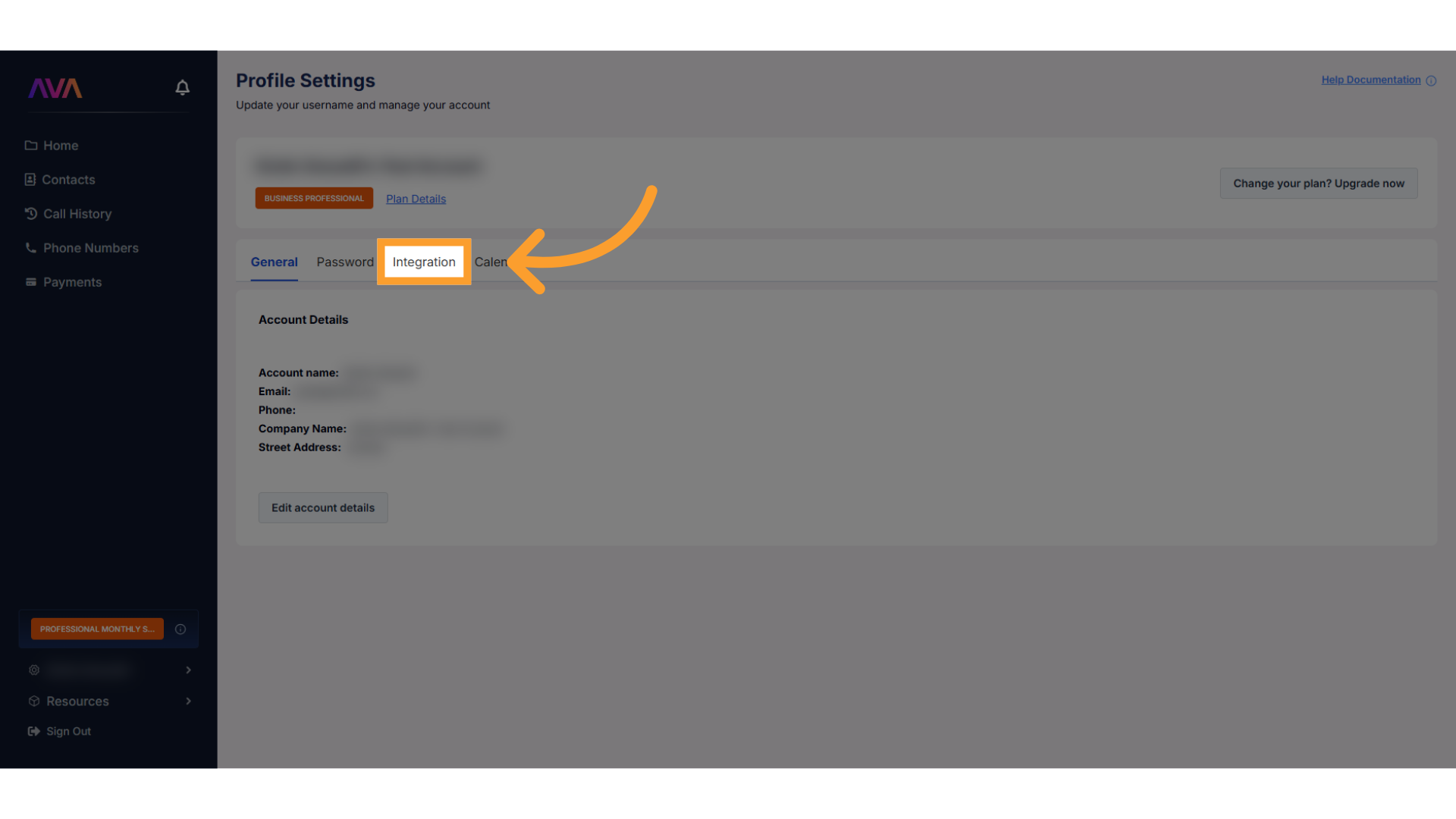
Go to the Integration Section
Click the Integration tab to manage third-party services
Enter Hostaway Credentials
Locate the Hostaway panel and enter your Account ID and API Key.
Save settings to establish the connection.
Once connected, Thinkrr imports property data like addresses, amenities, Wi-Fi codes, and check-in/out times.