
EvryStay helps you deliver remarkable stays at scale, so exceptional guest experiences become your competitive advantage
Good hospitality is good business. EvryStay helps you deliver remarkable stays at scale, so exceptional guest experiences become your competitive advantage. Occupancy, reviews, and repeat bookings are all effects of how the stay actually felt.
The bigger a portfolio grows, the easier it is for a guest to feel like a booking number. EvryStay stops that with a 360-degree hospitality layer that improves as you grow: communications, verification, guest guide, app, recommendations, upsells, turnover and reviews, all in one place. Underneath, a reasoning layer over live reservation data and agents that execute rather than escalate. One inbox, one calendar, one live connection to your PMS.
Not more software to manage, just fewer things to worry about. The result: glowing reviews, guests who return, and a calendar that fills itself. For short-term rental operators, property managers, and boutique hotels. Be the host every guest remembers.
Steps on Hostaway
- Go to the Hostaway Dashboard
- Click on Marketplace within the dashboard
- Search for EvryStay and click Connect
- Click Create to generate your API credentials
- Copy your Account ID and Secret Key
⚠️ The secret key is shown only once — save it somewhere safe.
Steps on EvryStay
Already registered? Sign in and go to step 2. If you are a new customer please follow these steps:
- Open Create your EvryStay account. Enter your Name and email. Use an inbox you can access during setup.
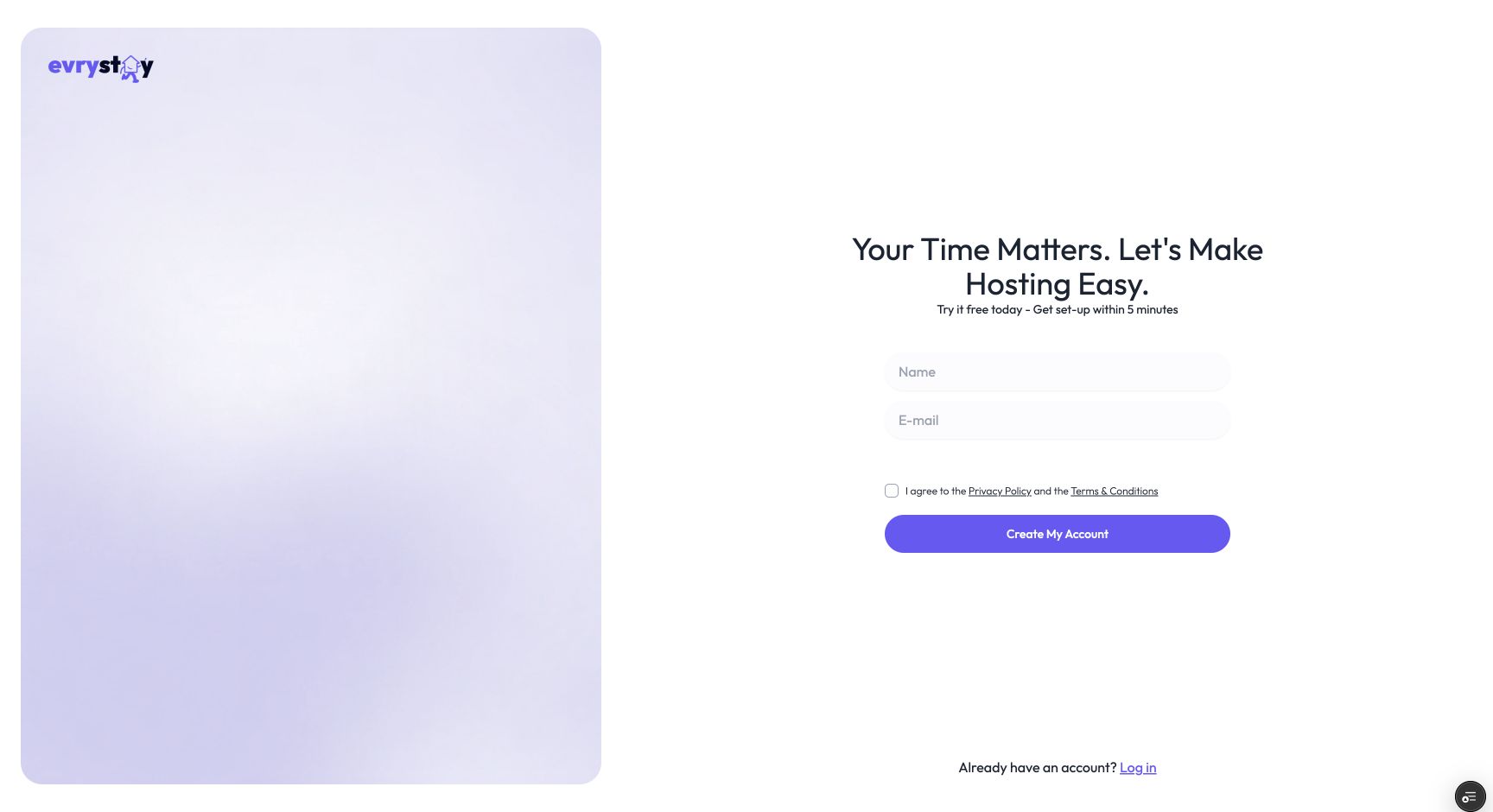
- Read the Privacy Policy and Terms & Conditions linked on the form. If you agree, tick the checkbox and select Create My Account.
- Check your inbox for the verification email. Follow its verification instructions. If EvryStay asks for a code, enter the code from the email and select Verify. Keep your sign-up tab open while you check your email.
- Complete the welcome screen. Add your company name if you wish, create a password, and enter the same password in Confirm Password. Select Get Started.
- In the setup flow, choose Connect a PMS using the Connect PMS button. This imports your properties from your property management system.
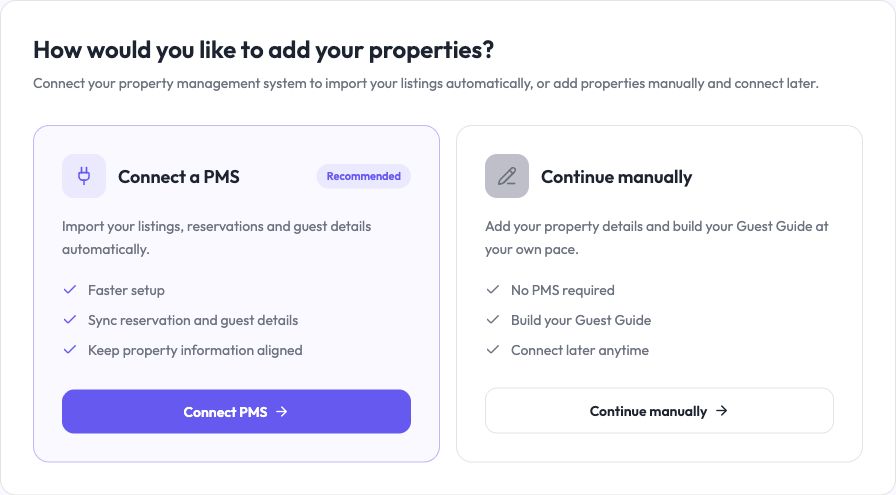
- On Choose your PMS, select the Hostaway card.
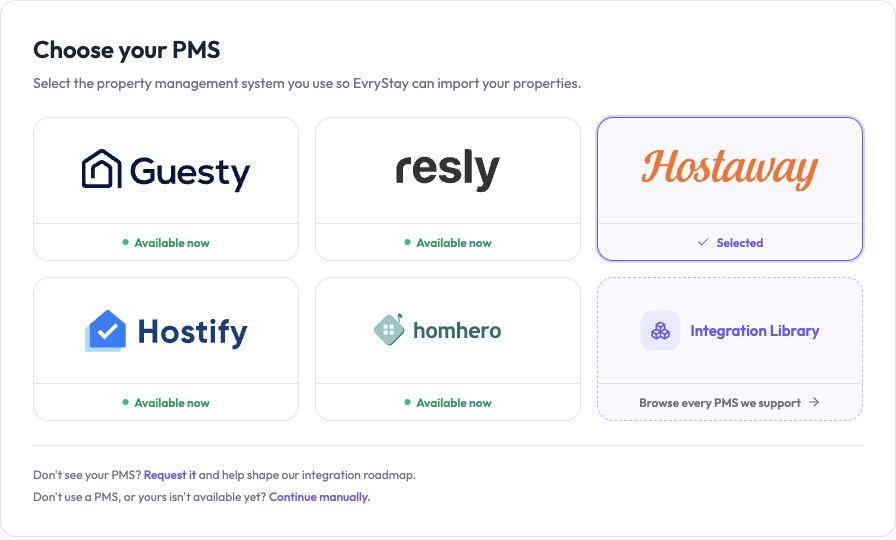
- Select Continue to open the Hostaway connection instructions. Keep this tab open while you create your Hostaway credentials.
- Return to your EvryStay tab and select Connect Hostaway.
- The secure connection page opens through Calry, EvryStay’s integration partner. Enter your Hostaway Account ID and API Key in their corresponding fields.
- Check that both values are from the same Hostaway account and that you have not copied any extra spaces. Select Connect on the secure connection page.
- After authentication succeeds, return to EvryStay as prompted. EvryStay will discover your Hostaway listings and prepare the import review.