
Streamline your property management tasks with Yaago's intuitive platform. Say goodbye to manual data entry and spreadsheets – Yaago's centralized system allows you to effortlessly oversee all your listings in one place.
Steps on Hostaway
- Go to the Hostaway Dashboard
- Click on Marketplace within the dashboard
- Search for Yaago and click the Connect button
- Click Create to generate your API credentials
- Copy your Account ID and Secret Key
⚠️ The secret key is shown only once — save it somewhere safe.
Steps on Yaago
- Open the More Menu
- From your Yaago dashboard, click More in the navigation bar
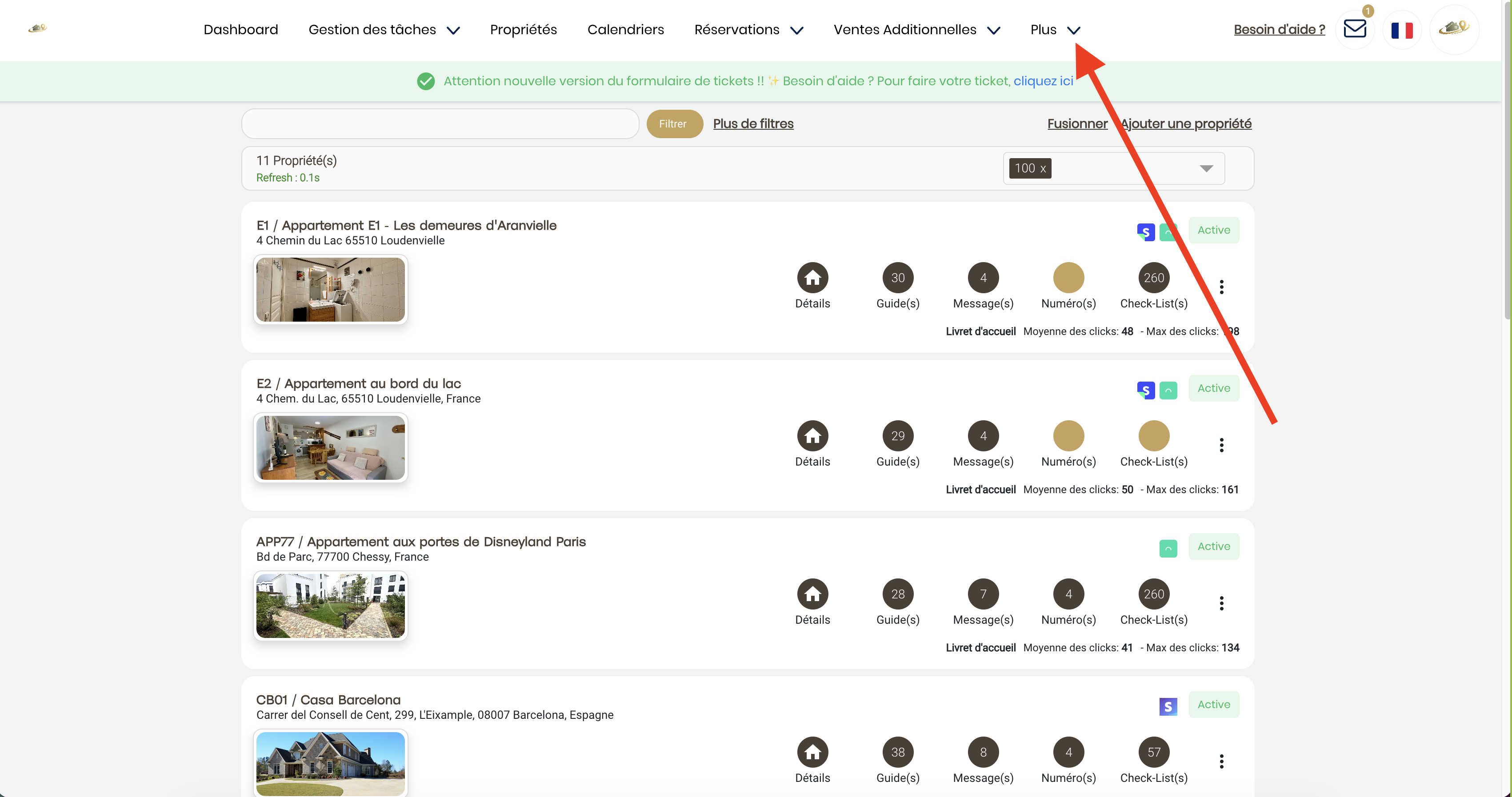
- From your Yaago dashboard, click More in the navigation bar
- Access Platform Connections
- Click Platform Connections
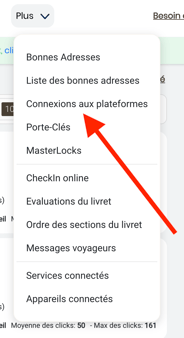
- Click Platform Connections
- Create a New Connection
- In the Create a New Connection section, click the arrow to display the list of available platforms.
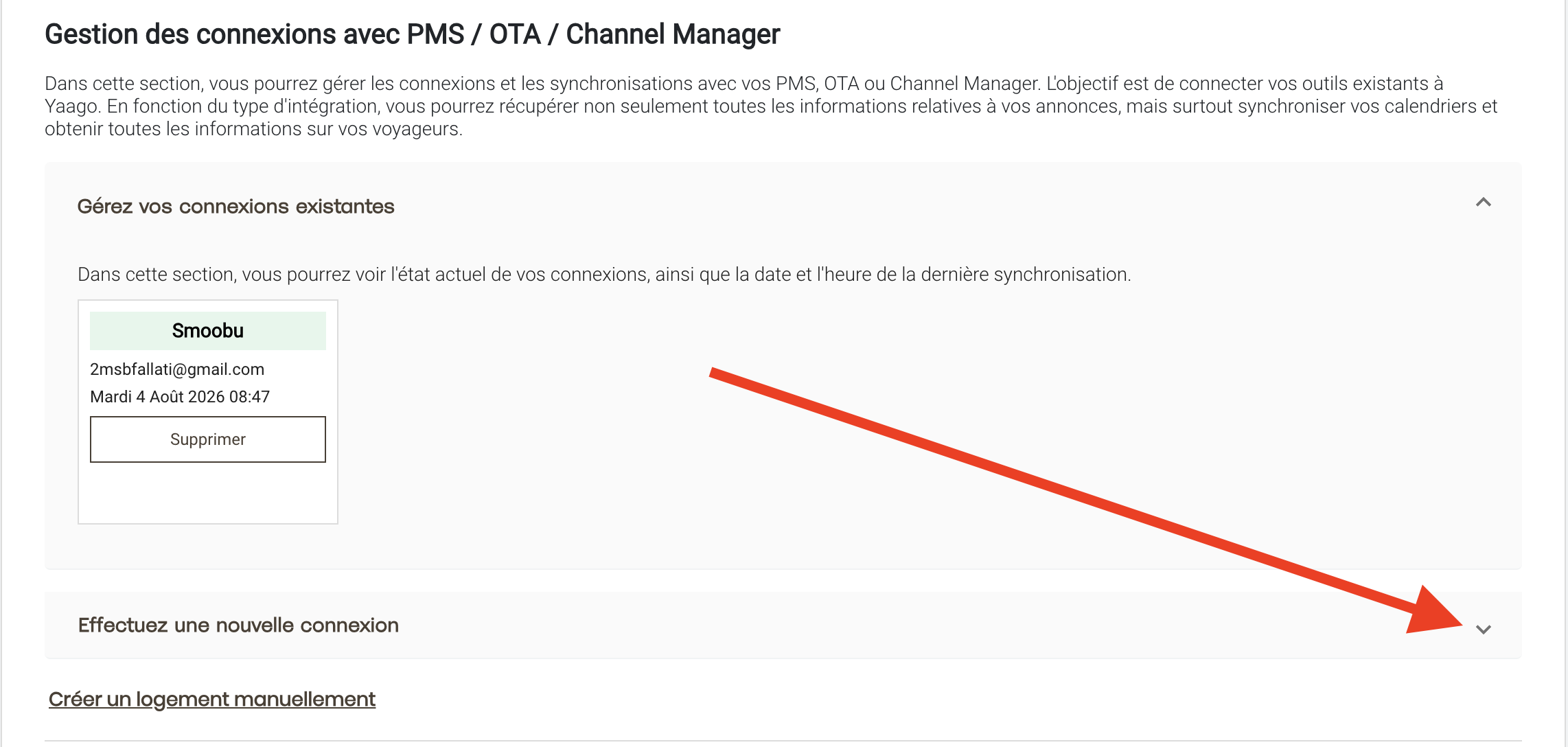
- In the Create a New Connection section, click the arrow to display the list of available platforms.
- Select Hostaway
- Find Hostaway, then click Connect to PMS
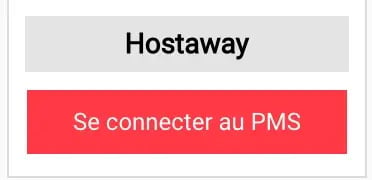
- Find Hostaway, then click Connect to PMS
- Enter Your Credentials
- Enter the following your Account ID and Secret Key
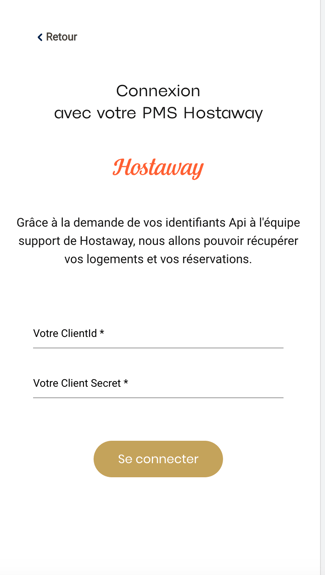
- Enter the following your Account ID and Secret Key
-
Complete the Connection
- Click Connect.
- Yaago will then establish the connection with Hostaway and automatically start synchronizing your data (properties, reservations, guests, and more).
-
Connection Complete ✅
- Once the synchronization is complete, your Hostaway account is successfully connected to Yaago.
- You can check the connection status at any time by going to More → Platform Connections.