Founded in 2023 and headquartered in Morgan Hill, California, Vrasio is a fast-growing, AI-powered travel booking platform built to elevate the vacation rental experience for both travelers and property managers. Our mission is to make travel more meaningful by connecting guests and hosts through affordable, accessible stays that celebrate culture, discovery, and memorable experiences.
With no hosting fees or commissions for PMs, and a 50% discount on guest service fees, Vrasio empowers Hostaway property managers to boost visibility, drive direct bookings, and keep more of their earnings—all with zero cost to join.
Vrasio currently charges no host service fees. Our goal is to keep hosting affordable, and if our pricing structure ever changes in the future, we will always notify hosts in advance.
Steps on Hostaway to get credentials
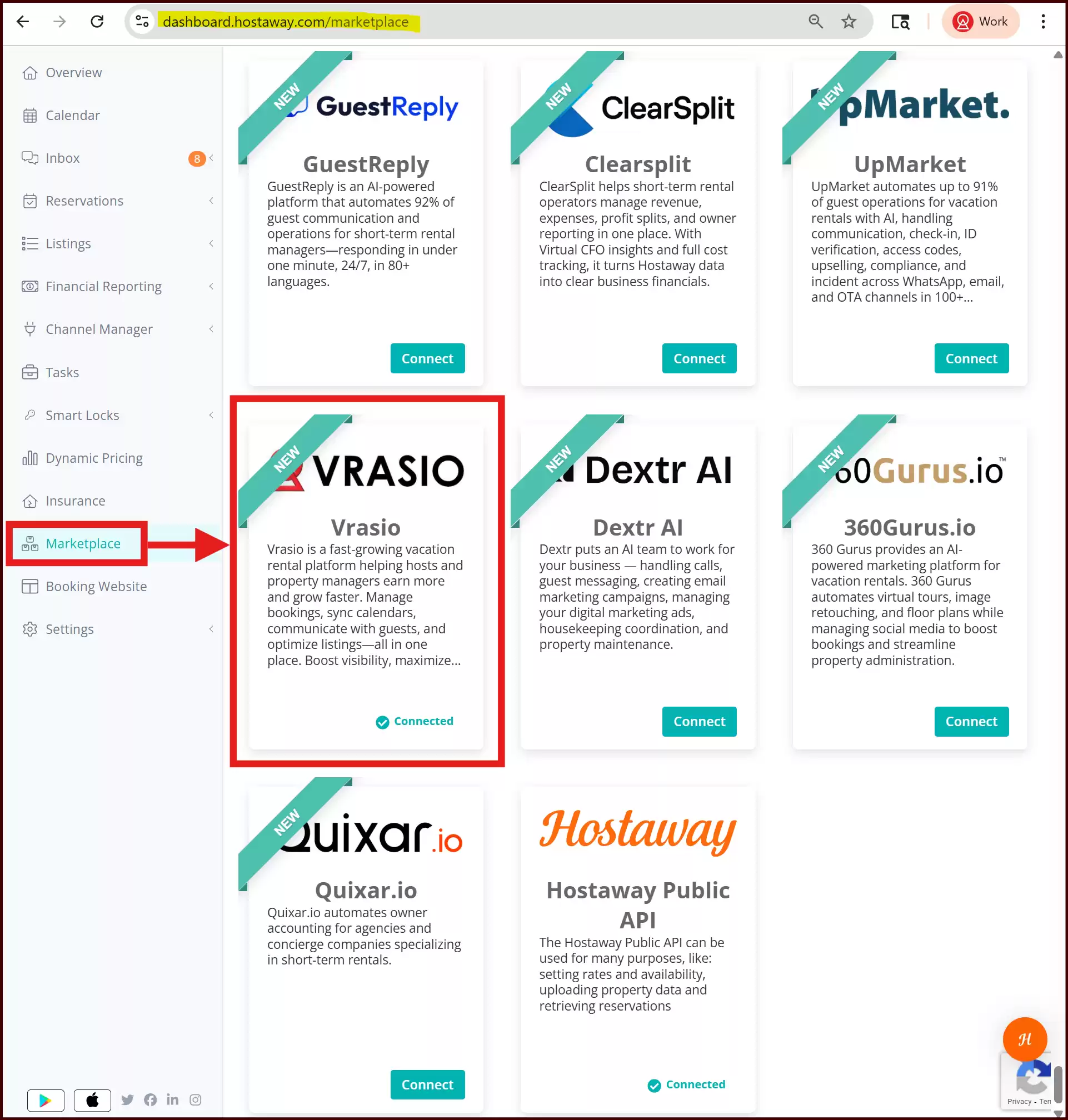
- Go to Hostaway Dashboard
- Click on Marketplace within the dashboard
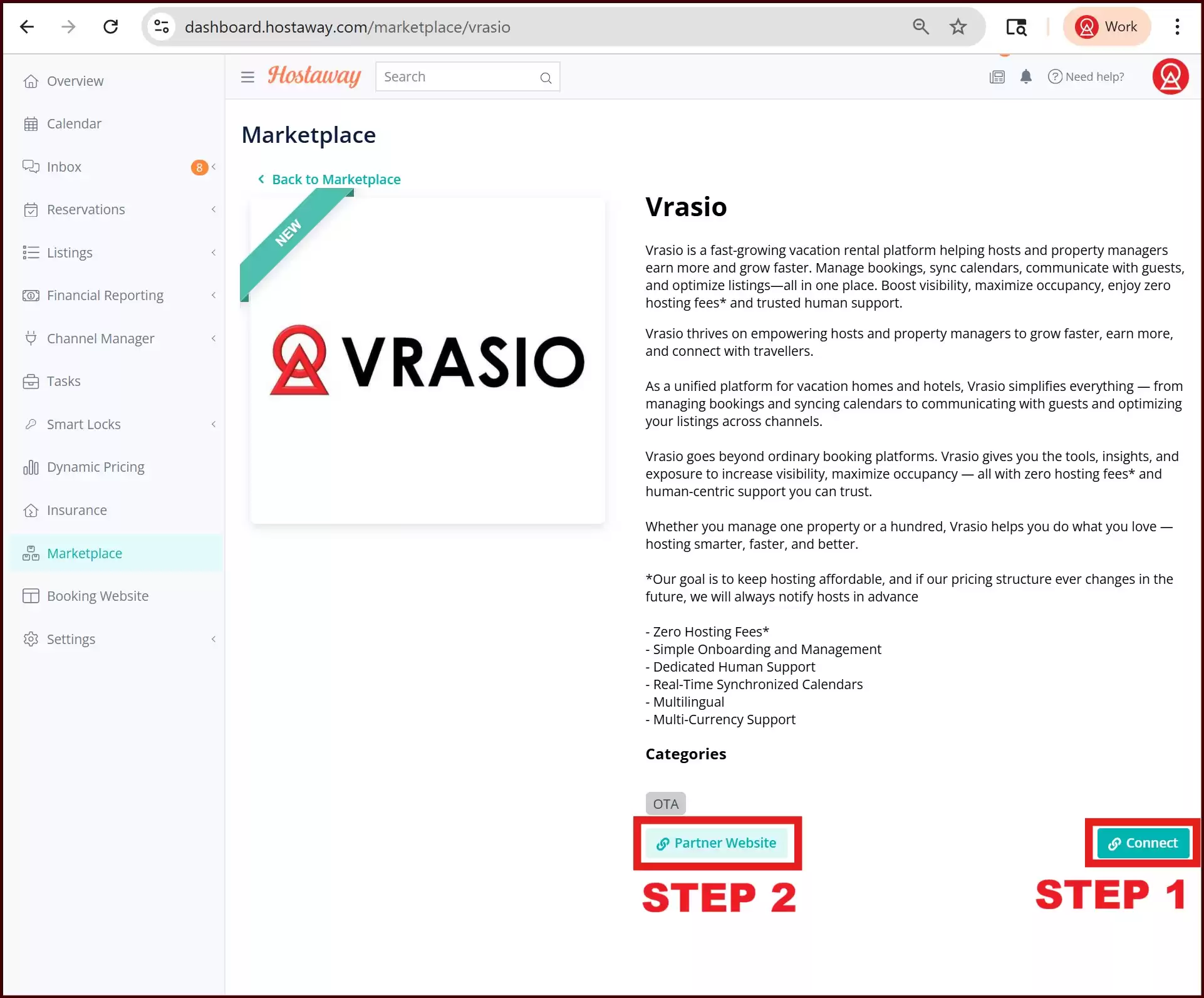
- Search for Vrasio and click on the Connect button
- A small box will appear > Click on Create
- The Account ID and the API Key will be presented in a new window
- Copy your Account ID and API Key and keep them somewhere safe for later
Steps on Vrasio to connect Hostway
- Click on this link or on the Partner Website to direct you to the Vrasio Sign-up page.
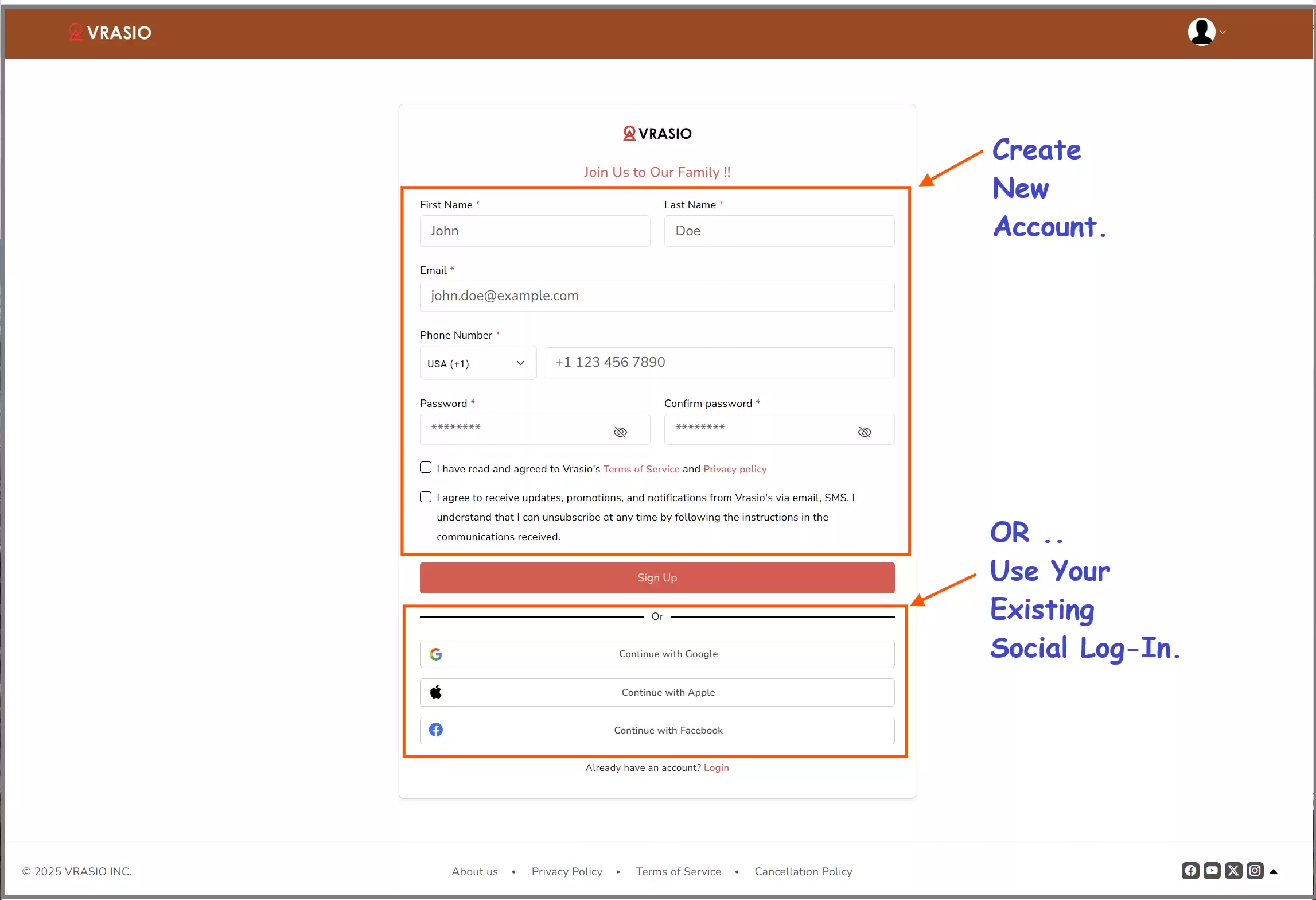
- You will be directed to the Vrasio Account Creation Page
- For quick account creation, you may use your social login in Google/ Apple/ Facebook, where you don’t need to create a password
- Alternatively, you may also manually create your own account using your full name, email, and phone number. This way, you can create your own password
- Create or Log in to the Vrasio Account First
- Click on the Connect with Channel Manager button
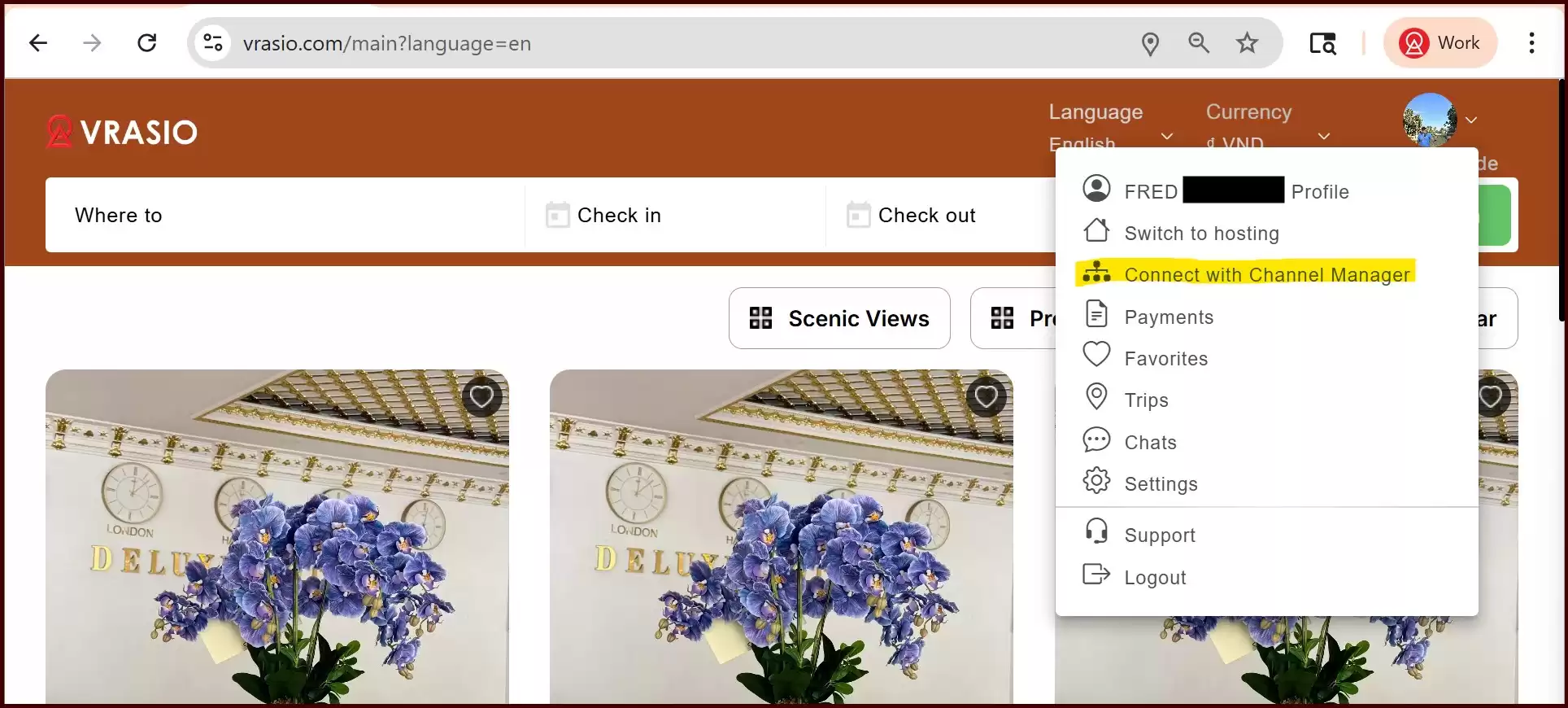
- Click on your Profile Icon in the Top Right Corner, and select "Connect with Channel Manager."
- Alternatively, you may go to your Profile and select "Connect with Channel Manager."
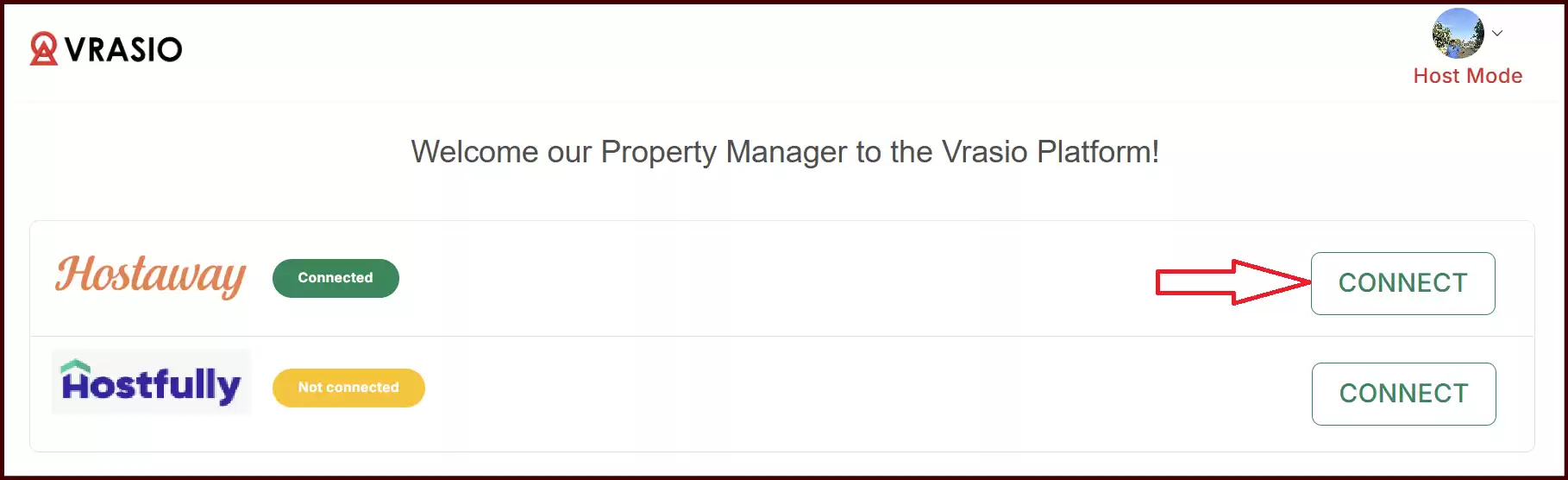
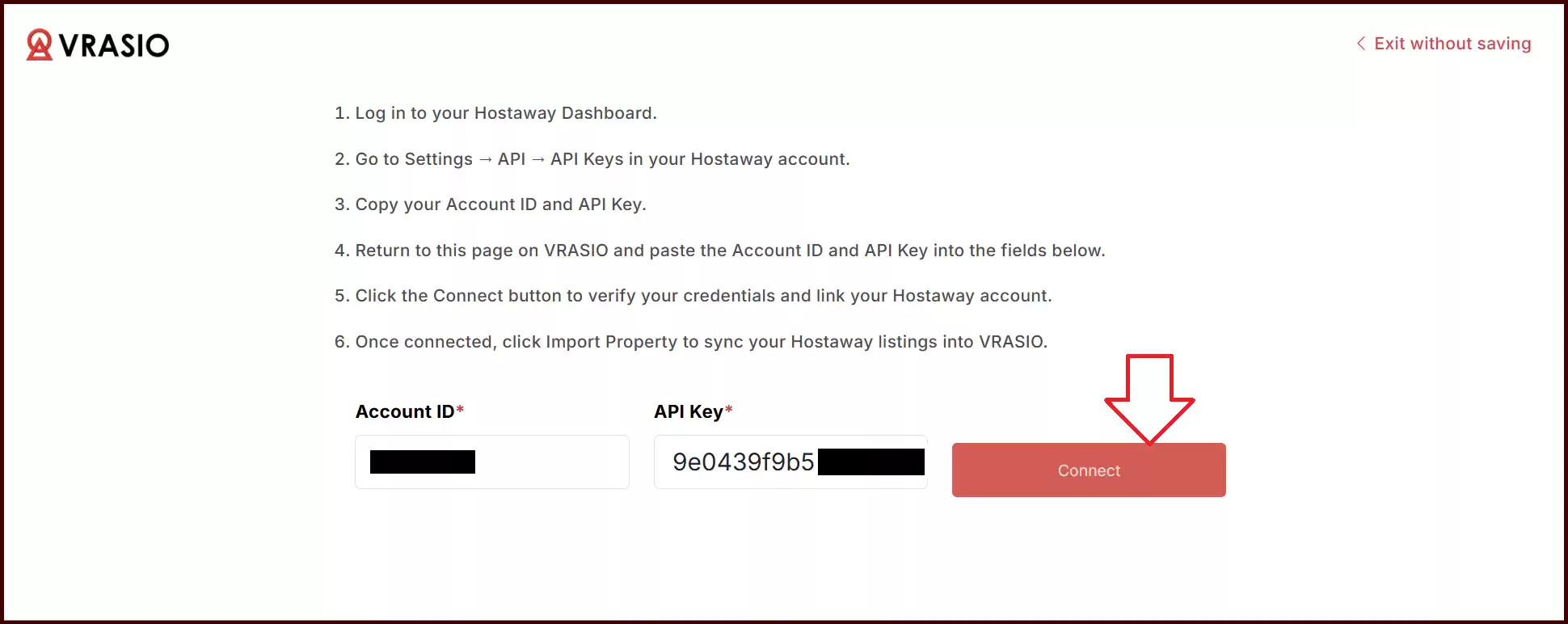
- On the Vrasio Dashboard, enter your Account ID and API Key into the respective boxes
- Click the Connect button to verify your credentials and link your Hostaway account