
Steps on Hostaway
- Go to Hostaway Dashboard
- Click on Marketplace within the Dashboard
- Search for alluraDirect Vacation Rentals and click on the Connect button
- A small box will appear > Click on "Create"
- The Account ID and the API Key will be presented in a new window
- Copy your Account ID and API Key and keep them somewhere safe for later
Steps on alluraDirect Vacation Rentals
Create a New Listing
- If you already have an account, click the "New Listing" button from the dashboard.
- If you do not have an account, click here to create and verify your account.
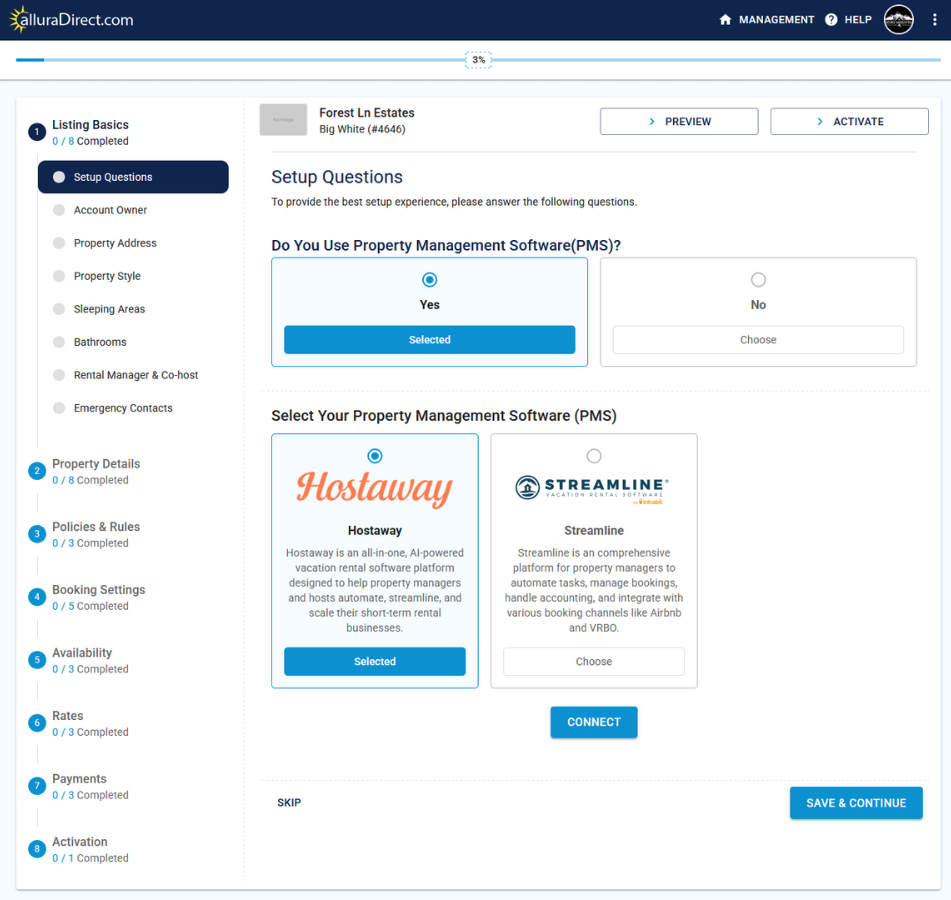
Select the PMS and Verify the Account ID and API Key
- Click the option to enable a PMS connection.
- Select HostAway
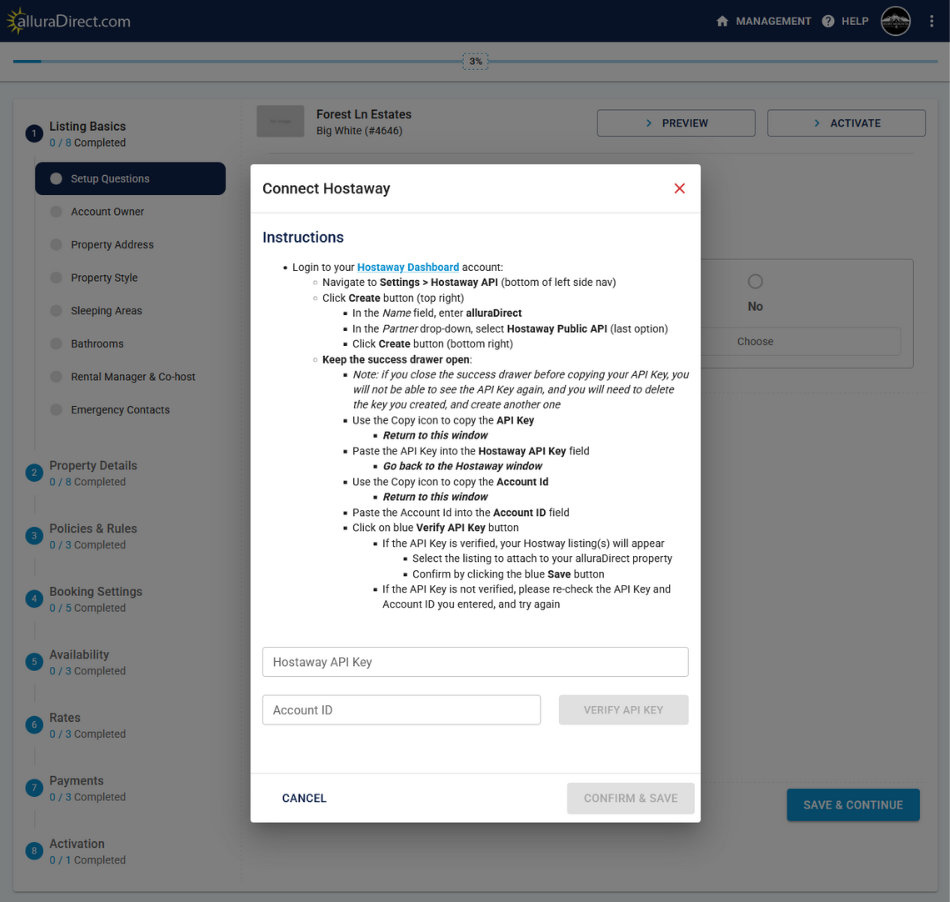
- Click the "connect" button below the selected PMS option
- From the first step, where you created the API key, copy and paste the Account ID and API key
-
Click the "verify API key" button.
For more information about the Allure Integration, please check their Integration GuideIf you need assistance or help connecting the properties, please contact info@alluradirect.com