Skip to main content
How to connect with Qenner?
Steps on Hostaway
- Go to Hostaway Dashboard
- Click on Marketplace within the Dashboard
- Search for Qenner and click on the Connect button
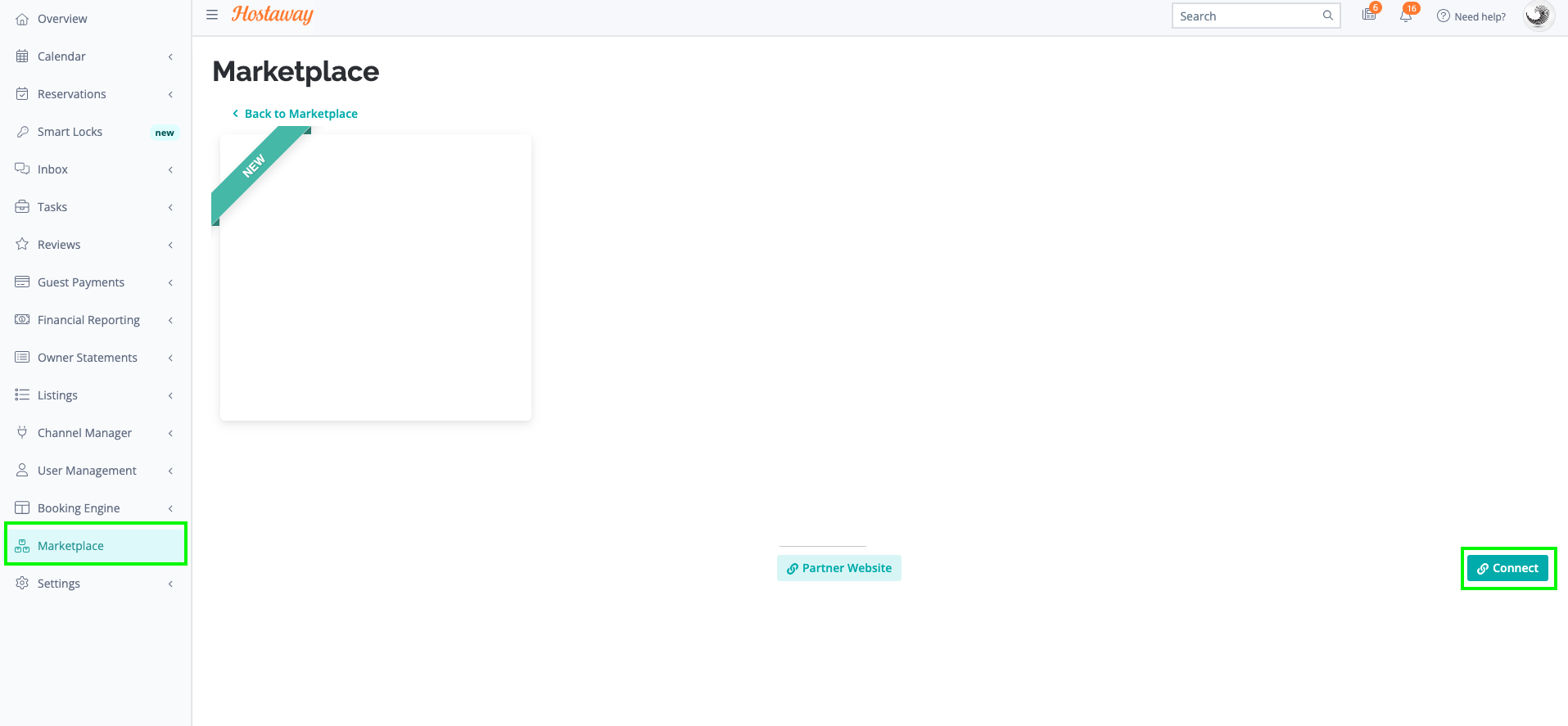
- A small box will appear > Click on "Create"
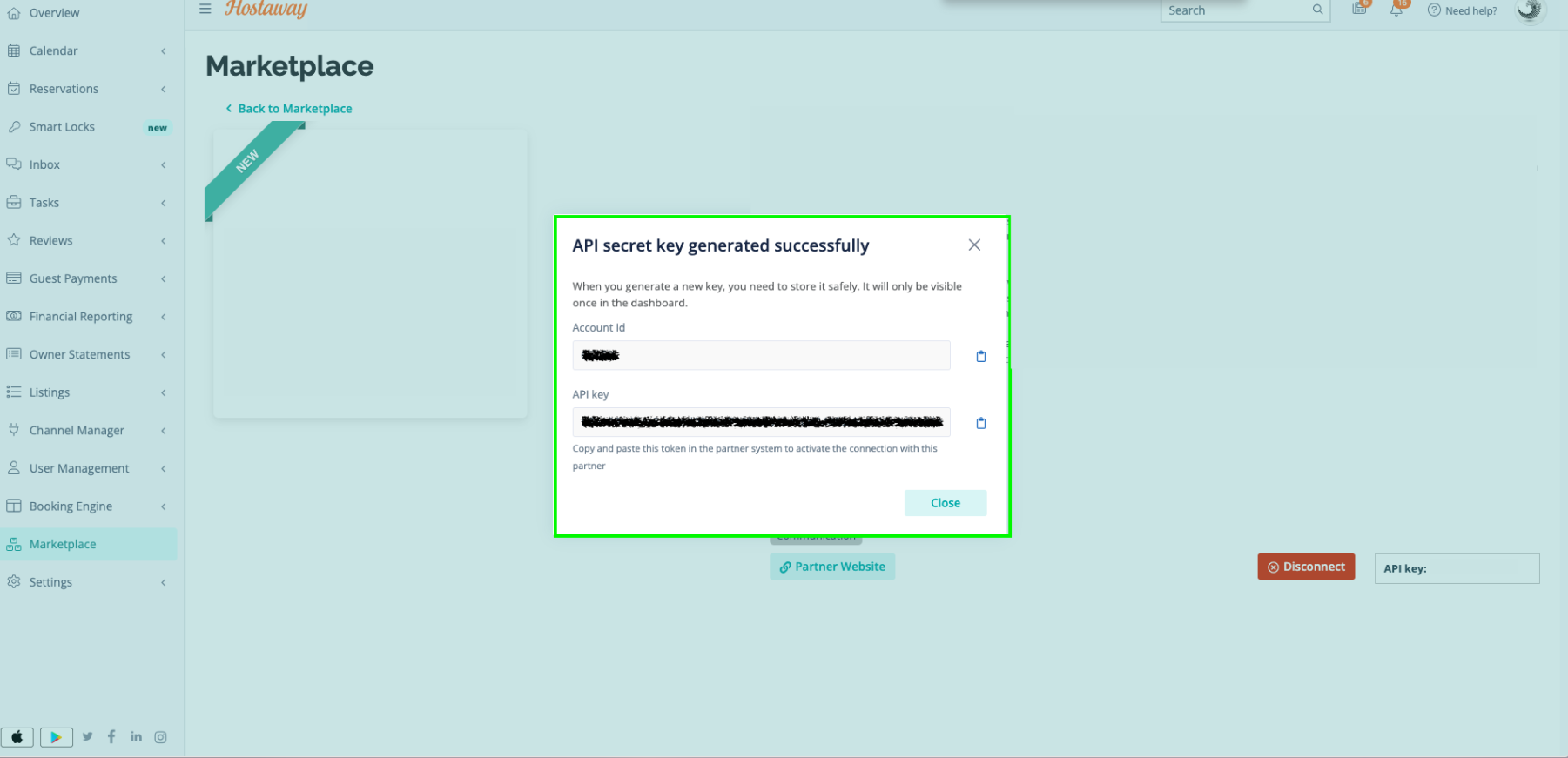
- The Account ID and the API Key will be presented in a new window
- Copy your Account ID and API Key and keep them somewhere safe for later
Steps on Qenner
- Please fill in the form so Qenner can begin connecting your listing(s) to the specified channels.
- If you don't have a contract with Qenner yet, please contact them via sales@qenner.com
