Skip to main content
How to connect with Goweasy?
Steps on Hostaway
- Go to Hostaway Dashboard
- Click on Marketplace within the Dashboard
- Search for Goweasy and click on the Connect button
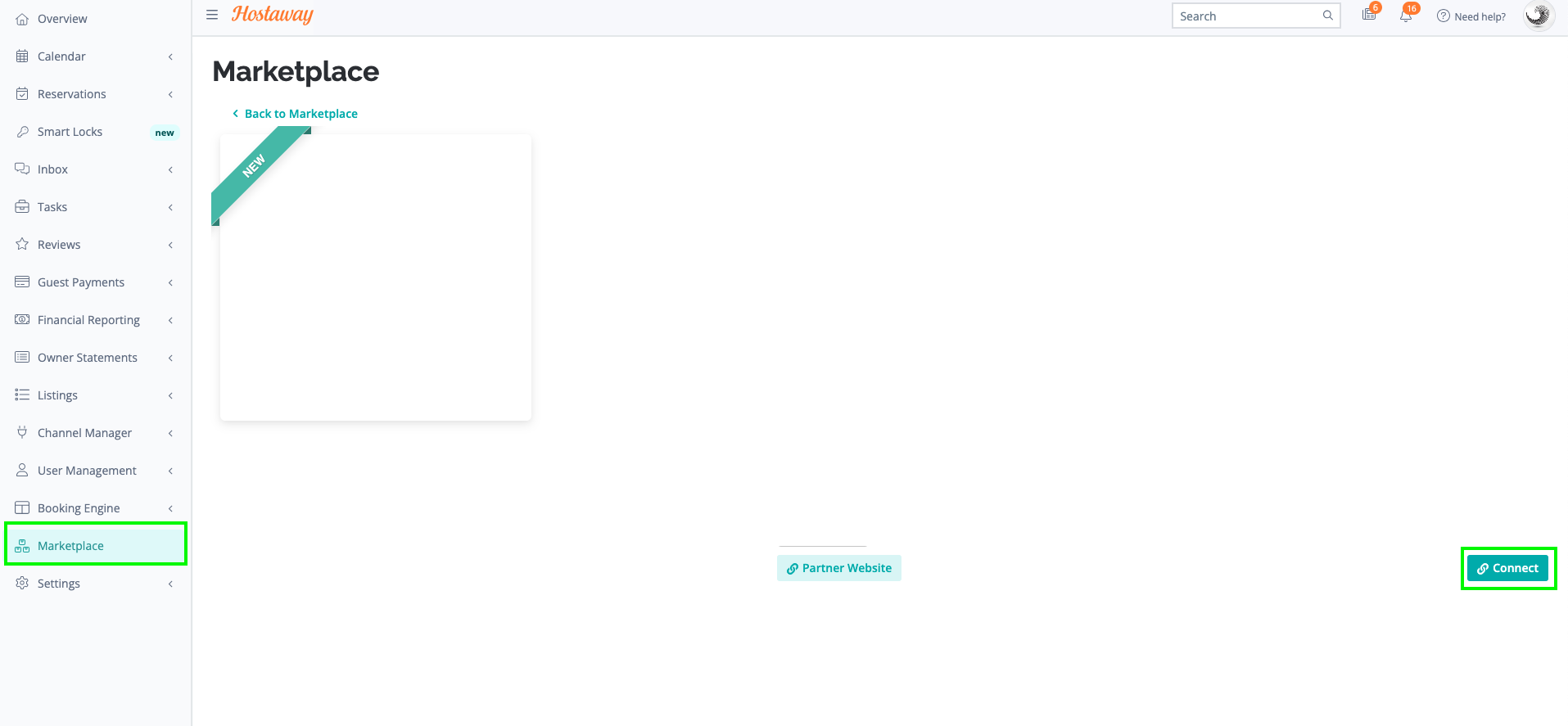
- A small box will appear > Click on "Create"
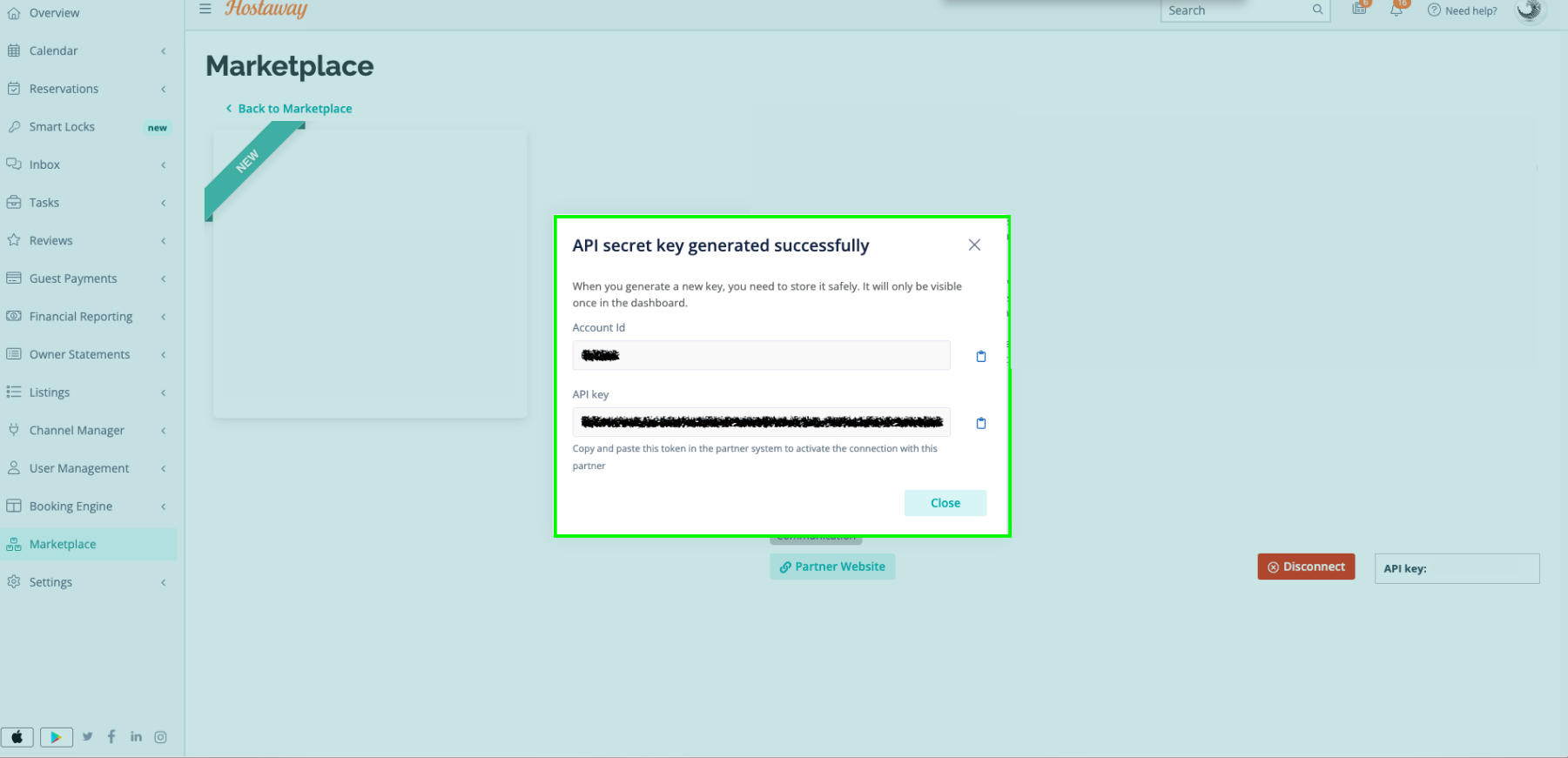
- The Account ID and the API Key will be presented in a new window
- Copy your Account ID and API Key and keep them somewhere safe for later
Steps on Goweasy
- Access the partner page: https://www.goweasy.com/about-us/register
- Click the “Register with us” button
- Fill out the registration form
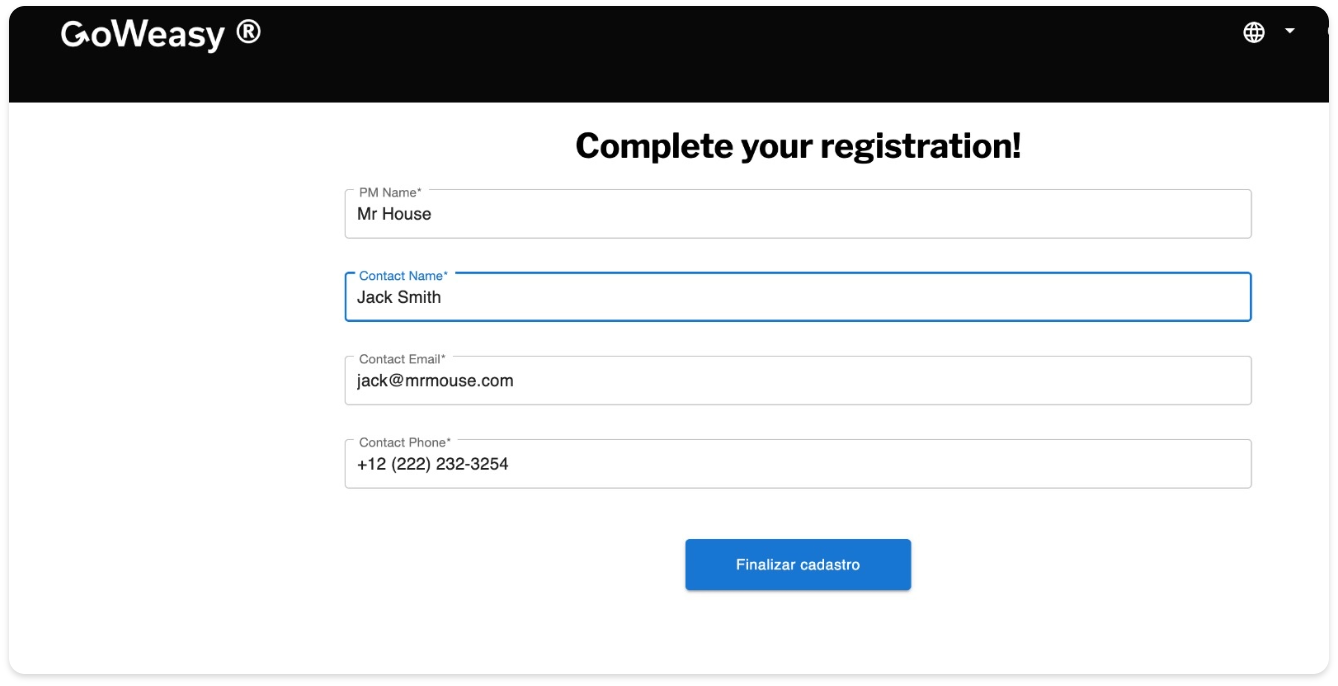
- Wait for our confirmation email. (In it, we will request the ID and Token generated on the Hostaway platform.)
