Steps on Hostaway
- Go to Hostaway Dashboard
- Click on Marketplace within the Dashboard
- Search for Review Lawyers and click on the Connect button
- A small box will appear > Click on "Create"
- The Account ID and the API Key will be presented in a new window
- Copy your Account ID and API Key and keep them somewhere safe for later
Steps on Review Lawyers
-
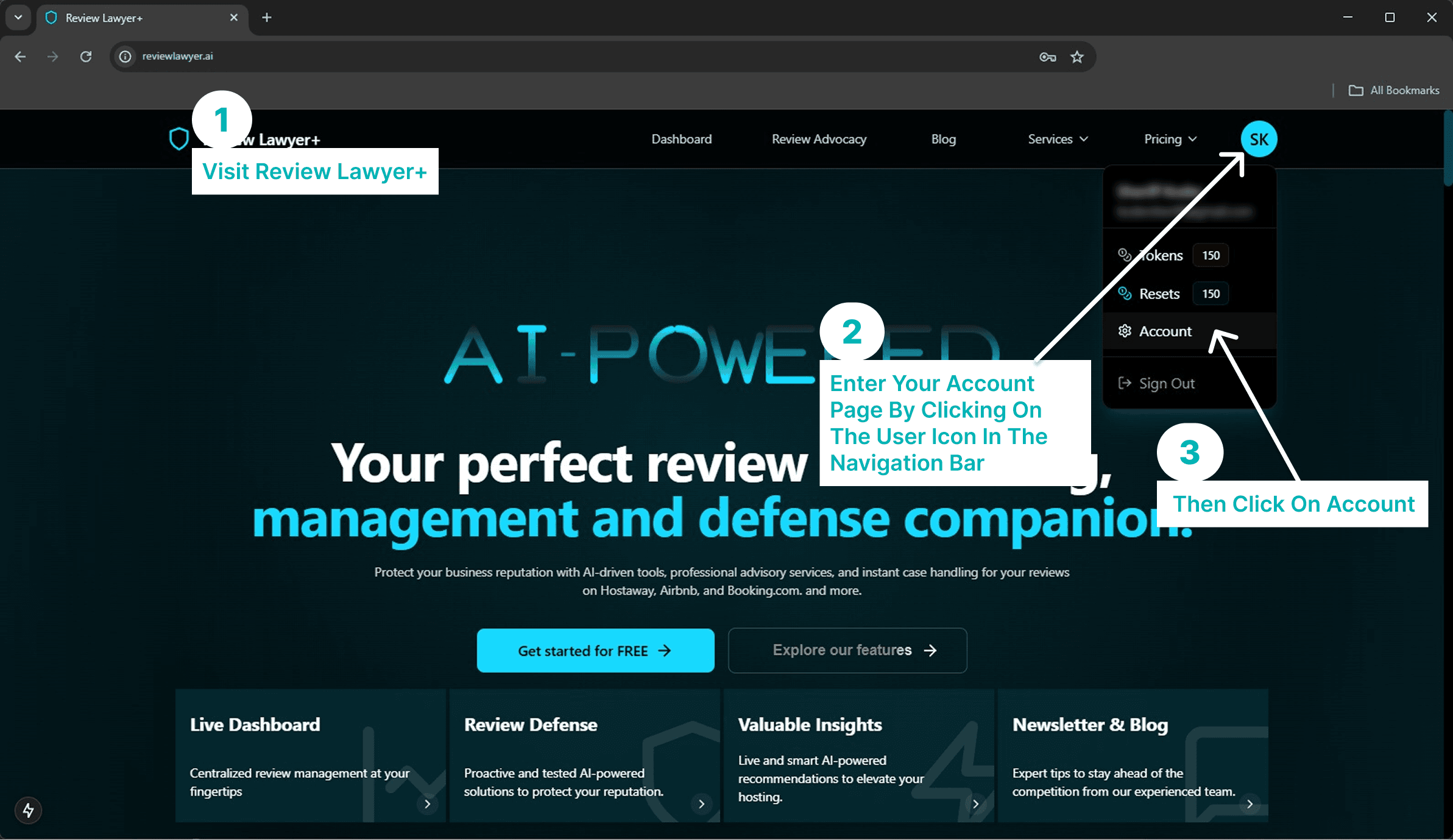
Linking with Review-Lawyer+. Visit https://www.reviewlawyer.ai/ and login with your email and password. Navigate to your account page by clicking the user icon in the top navigation menu bar then click "Account"
-
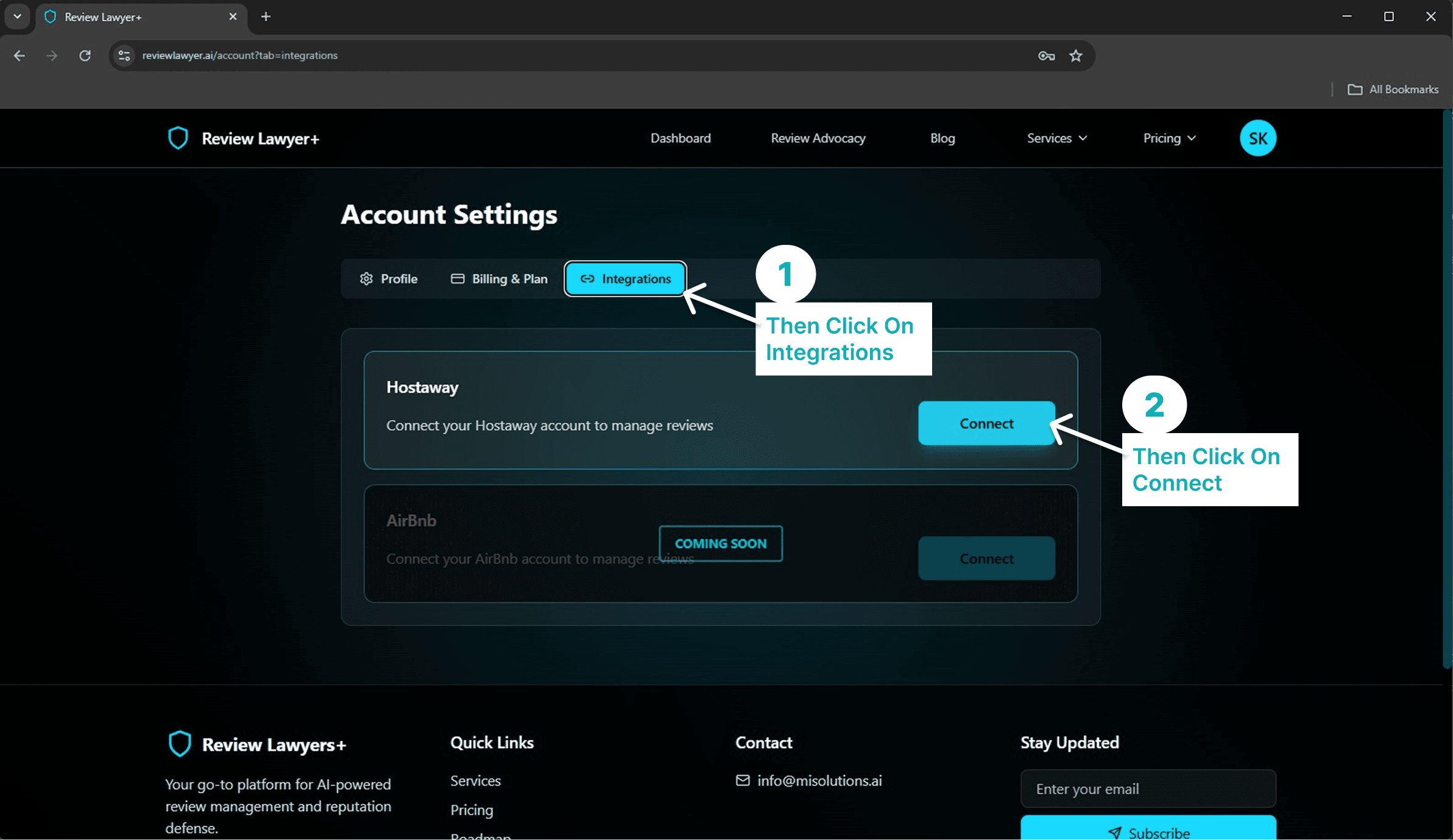
Connect Hostaway to your account. Go to the integrations tab and on Hostaway click "Connect".
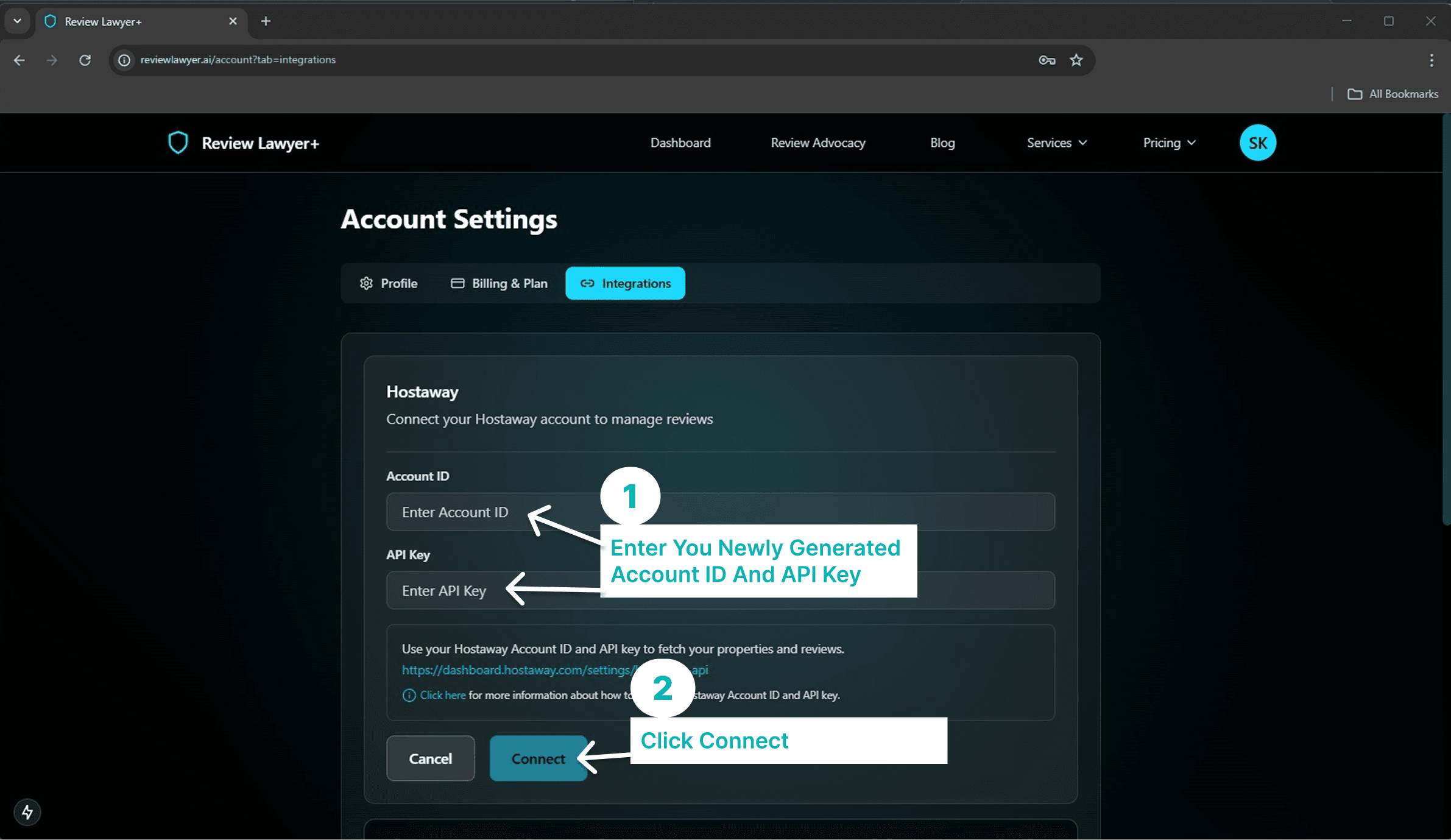
- Enter your ID and API Key. Place your Account ID and API Key in their respective places, then click "Connect" to integrate Hostaway with your account. Now you can visit the dashboard to see your listings and reviews.