
Guestive is excited to be working with Hostaway to make our A.I. and Digital Guest Guidebooks work smoothly with all the PMS features of the Hostaway platform.
Our hands-off guest communication, upsells, and beautiful digital guidebooks take minutes to set up if you are a Hostaway customer.
Want to get started? See how below:
1) Sign up or log in to Guestive and navigate to Account > Hostaway. This is where you will need to add your Hostaway credentials:
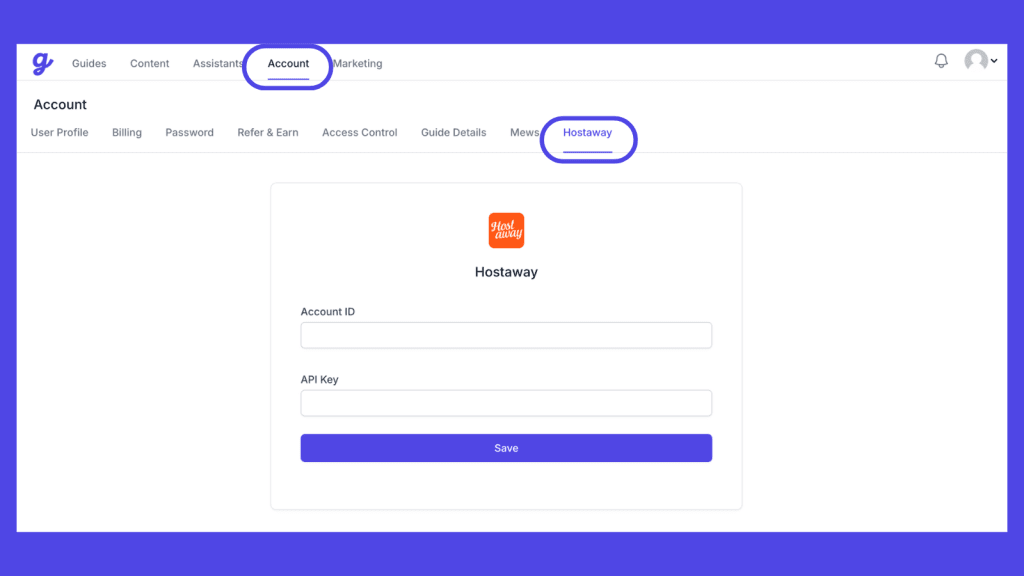
2) Log in to Hostaway and navigate to the Hostaway Dashboard
3) Click on Marketplace within the Dashboard
4) Search for Guestive and click on the Connect button
5) A small box will appear > Click on "Create"
6) Name your API key Guestive and select Guestive as your partner
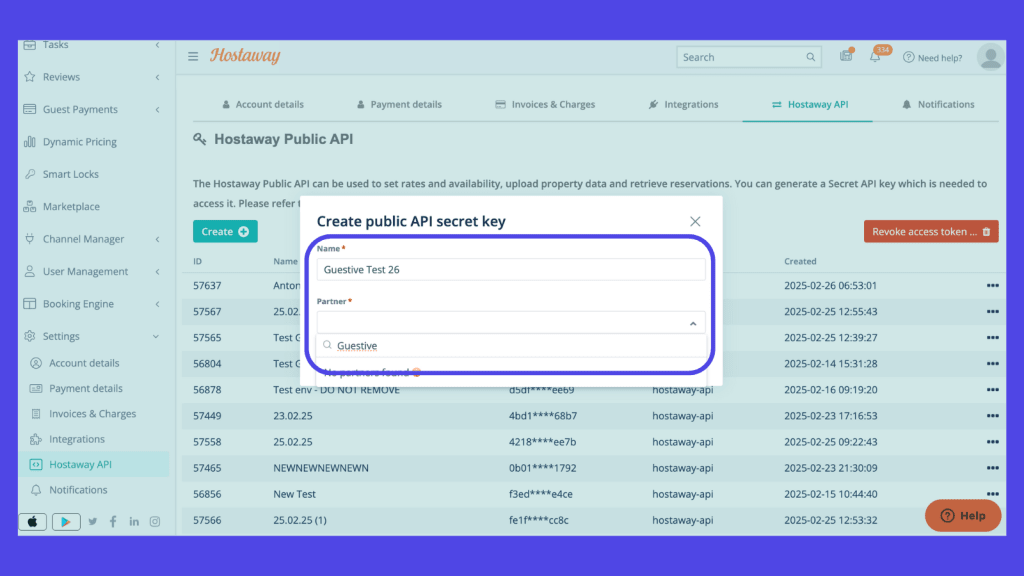
7) The Account ID and the API Key will be presented in a new window
8) Copy your Account ID and API Key and keep them somewhere safe for later
9) Copy the created details and navigate back to Guestive Account > Hostaway to paste them in:
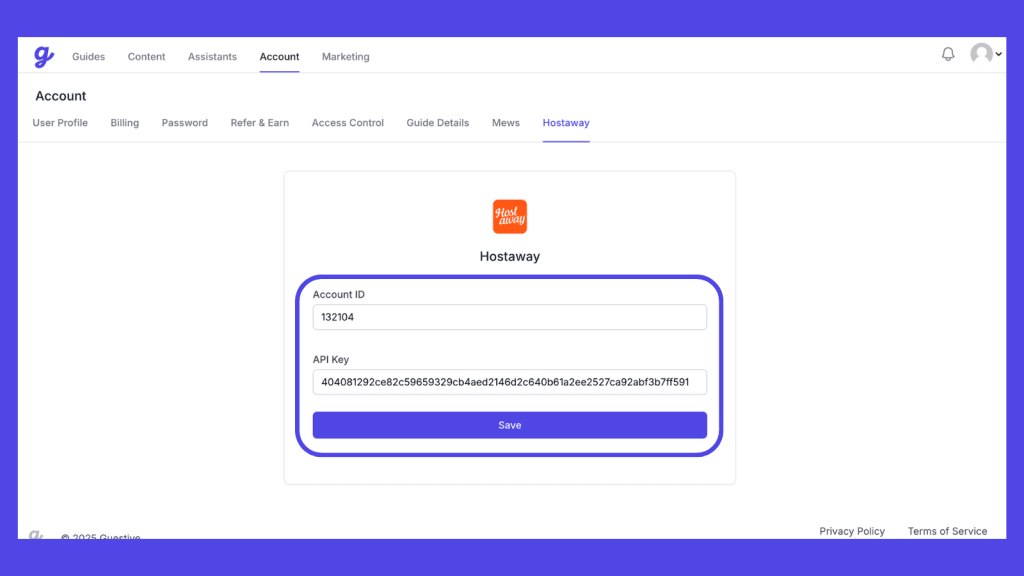
10) The accounts will be linked, and now all you need to do is Sync Listings (Guides):
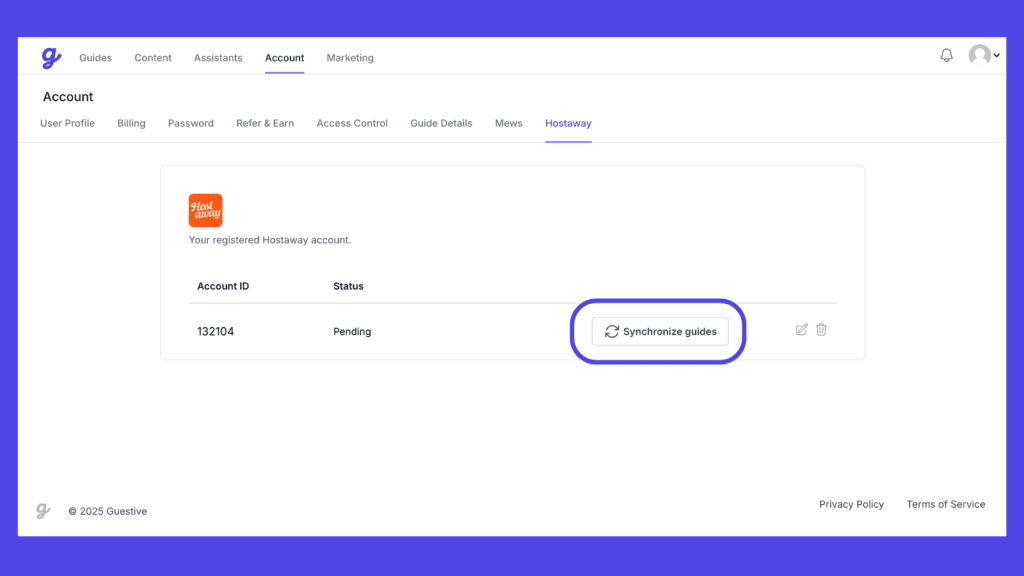
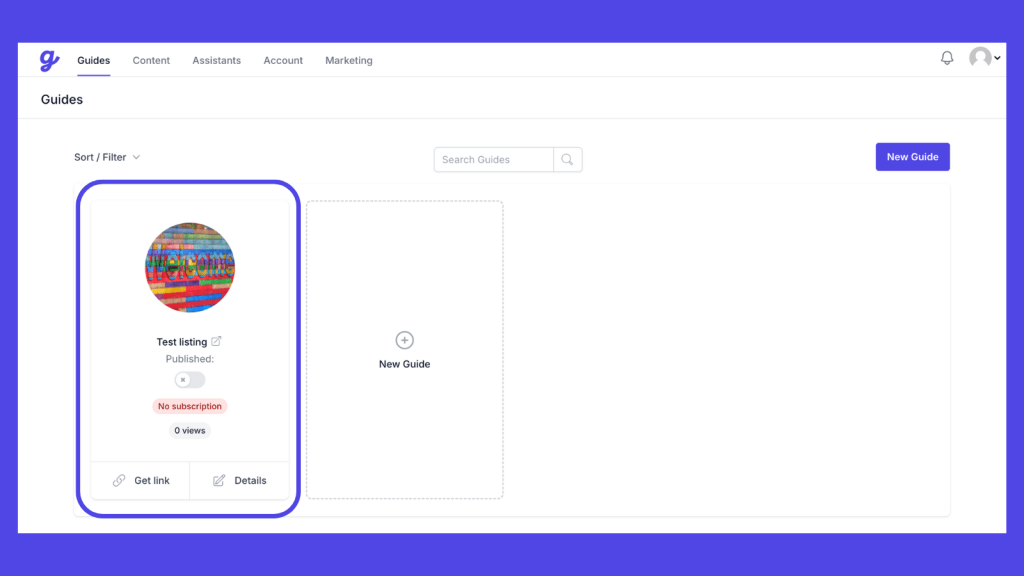
11) Your guides will now be created under the Guides tab:
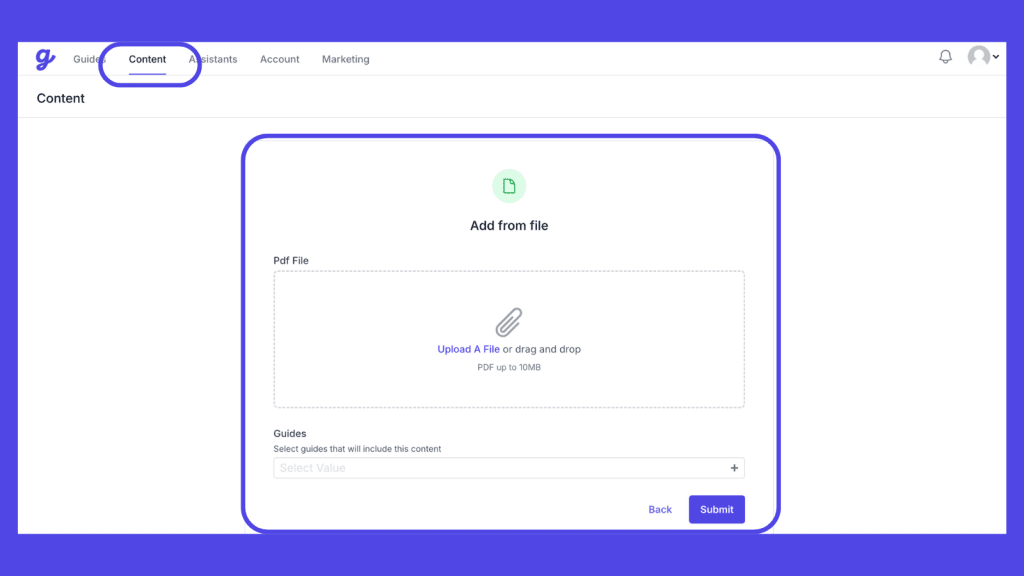
12) You can now add content to your guides, which will also serve as a knowledge base for your A.I. The fastest way is to drag and drop a PDF with property details, and the A.I. will automatically create a property knowledge base for you:
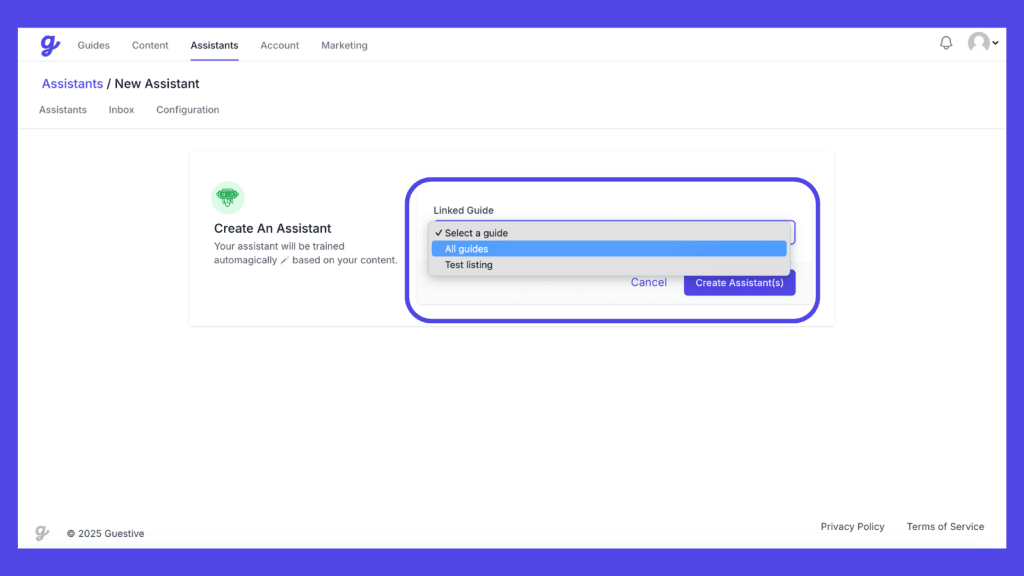
13) You can now create an Assistant for one or all of your guides/listings:
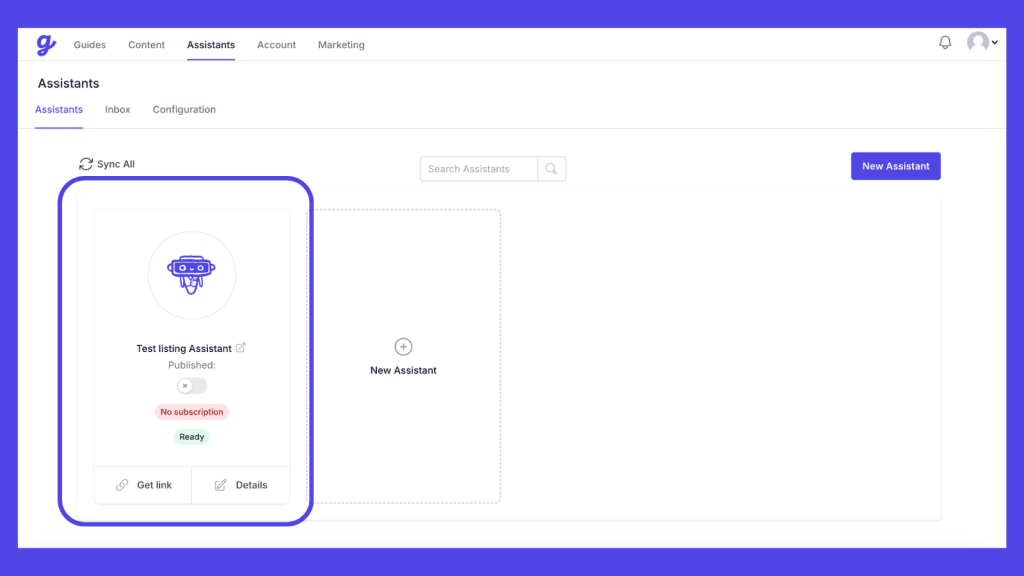
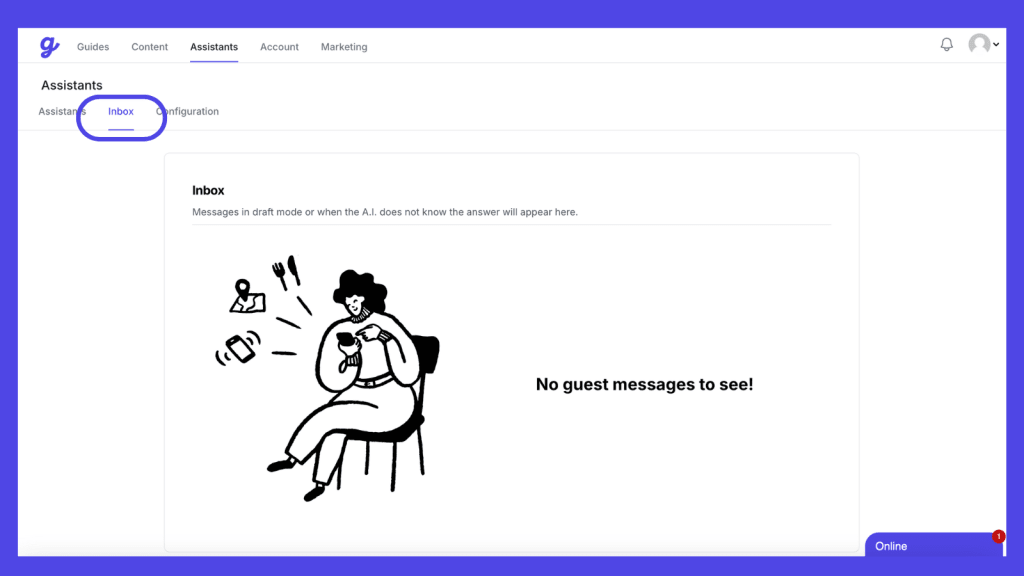
14) Once you have 'Published' your Guide & Assistant, you are ready to receive messages! If you want to check messages before the A.I. responds, then you can set "Draft Mode" under "Configuration" and your messages will go to your inbox for reviewing before being sent. If the A.I. Assistant does not know the answer, then messages will also appear here in Auto-pilot as well.
More to follow on how to set up upsells and other PMS integration features.
Happy automating!